This image comes from Aleks at Polka Photos in Los Angeles.
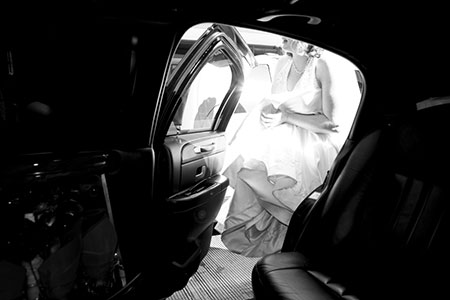
I didn’t have a lot of time to capture this image. I saw the bride coming into the limo and started shooting. The ISO was set to 160 since I had been shooting outdoors and my settings were 1/100 at 5.0. Processing was relatively simple. When I process black & whites I often think in terms of what I would have done in a darkroom. In Photoshop, however, I always start processing in color and save a color version first. In Levels RGB channel I pulled in the blacks to give the photo lots of contrast. I did a little bit of burning of midtones on the left hand side where there was a window and someone’s arm was visible. I then converted to black & white. Burned the window down a bit more as well as the glasses in the foreground. Using Curves added a bit more contrast. Then finally used the Unsharp Mask tool at radius 1.0 pixels until I like the sharpening (don’t remember the percent but I would guess around 130). And voila!

Seattle commercial and wedding photographer creating storytelling images.


 The Wedding Photography Project
[…] Original post by Cory Parris […]